
Updated:
Most keyword research tools look impressive in a demo. The real question is whether a tool will help you find keywords you can actually rank for, fit your workflow, and stay within budget. This comparison gives you a neutral framework to evaluate SEO keyword research software, separates what matters from what doesn't, and ends with a decision checklist you can use today.
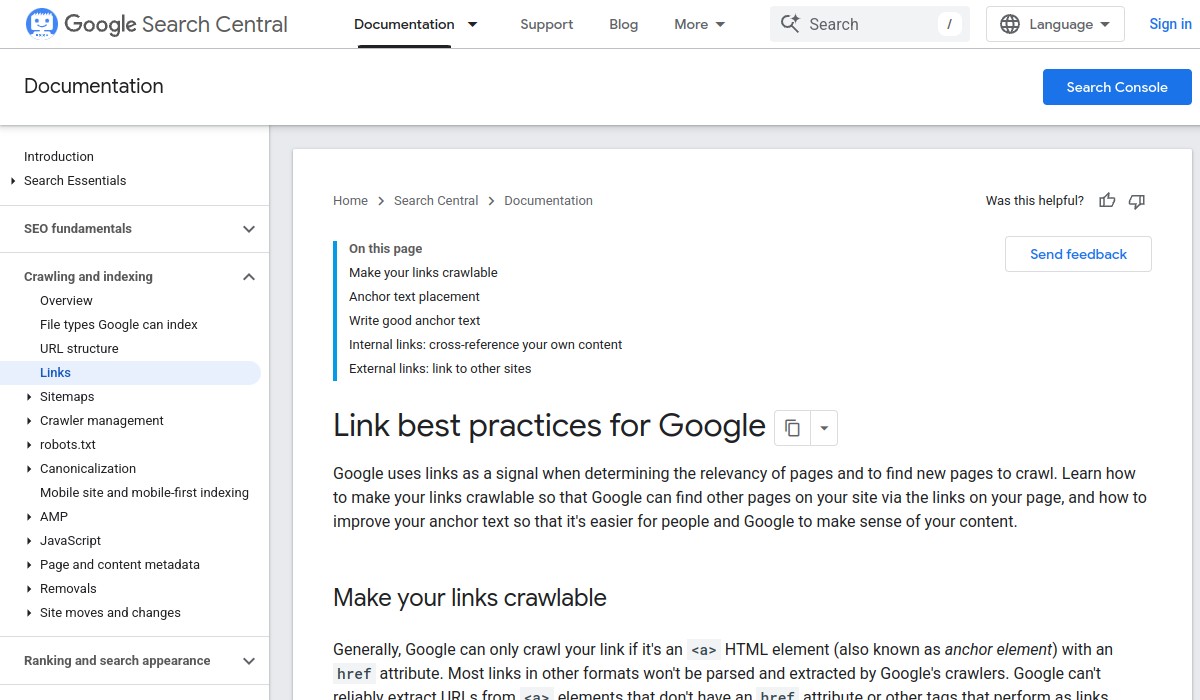
Verified source context: Google recommends crawlable anchor elements, descriptive and concise anchor text, and contextual internal links. It also recommends citing useful external sources when doing so helps readers. Read Link best practices for Google.
Key Takeaways

- No single keyword research tool is best for everyone. The right choice depends on your budget, experience level, and whether you need extra features like rank tracking or competitor analysis.
- Google's own guidance warns that no tool can guarantee rankings. Treat any promise of guaranteed results as a red flag.
- Free tools can be a good starting point, but they often limit data or hide important metrics. Paid tools typically offer more accurate data and advanced features.
- Before you commit, test the tool with your own keywords and verify that its data matches what you see in Google Search Console.
What should I look for in SEO keyword research software?
Start by defining the outcome you need. Are you looking for new keyword ideas, checking search volume, or analyzing competition? A good tool should provide accurate data, be easy to use, and fit your budget. Google's guidance on third-party SEO tools reminds us that no tool can guarantee performance, so evaluate claims carefully.
Here are the criteria that matter most:
- Data accuracy and coverage: Does the tool provide reliable search volume, keyword difficulty, and SERP data? Can you verify its numbers against your own Google Search Console data?
- Feature set: Does it offer keyword suggestions, competitor analysis, rank tracking, and content optimization? Do you need all of those features?
- Ease of use: Is the interface intuitive? Can you get answers quickly without a steep learning curve?
- Pricing and limits: What does the free version include? How much do paid plans cost, and what limits apply (e.g., number of searches per day)?
- Support and documentation: Is there helpful documentation, tutorials, or customer support when you need it?
How do popular SEO keyword research tools compare?
The table below compares five widely mentioned tools against the same criteria. Note that this is not an exhaustive list, and features change frequently. Always check the tool's current pricing and features before deciding.
| Tool | Data accuracy and coverage | Feature set | Ease of use | Pricing and limits | Support and documentation |
|---|---|---|---|---|---|
| Google Keyword Planner | Uses Google's own data; search volume ranges rather than exact numbers; limited keyword suggestions for low-volume terms. | Keyword ideas, search volume, competition; no rank tracking or competitor analysis. | Simple interface, but requires a Google Ads account. | Free with a Google Ads account; no daily limits, but data is less granular. | Official Google help documentation. |
| Semrush | Large database; provides exact search volume, keyword difficulty, and SERP features; data can be expensive. | Extensive: keyword research, competitor analysis, rank tracking, site audit, content tools. | Feature-rich but can be overwhelming for beginners. | Paid plans start around $130/month; limited free trial. | Extensive knowledge base, webinars, and support. |
| KWFinder (Mangools) | Accurate keyword difficulty and search volume; smaller database than Semrush. | Keyword research, SERP analysis, rank tracking, backlink analysis. | Very user-friendly; good for beginners. | Plans start around $30/month; limited free trial. | Helpful guides and responsive support. |
| Ubersuggest | Provides search volume, keyword difficulty, and content ideas; data may be less accurate than premium tools. | Keyword research, site audit, rank tracking, content ideas. | Simple and intuitive. | Free tier with limited daily searches; paid plans start around $29/month. | Blog and email support. |
| AnswerThePublic | Focuses on question-based keywords; no search volume or difficulty metrics. | Visualizes questions and prepositions; limited to keyword ideas. | Very easy to use. | Free tier with limited searches; paid plans start around $11/month. | Basic documentation. |
Remember that Google's guidance on third-party SEO tools warns that tools cannot guarantee performance. Use the data as a starting point, not a promise of results.
What are the tradeoffs between free and paid keyword research tools?

Free tools can help you get started, but they often come with limitations. Google Keyword Planner is free but shows search volume ranges instead of exact numbers and requires a Google Ads account. Free tiers of tools like Ubersuggest or AnswerThePublic limit the number of searches you can perform per day. Paid tools typically offer more accurate data, advanced features like competitor analysis and rank tracking, and higher usage limits. However, they can be expensive, especially for small businesses or solo marketers.
Consider your budget and how often you'll use the tool. If you only need occasional keyword ideas, a free tool might suffice. If you're doing regular SEO work for clients or your own site, investing in a paid tool may save time and provide better insights.
Which keyword research tool is best for my situation?
There is no one-size-fits-all answer. Here are some conditional recommendations based on common scenarios:
- If you're on a tight budget and just starting out: Google Keyword Planner is free and uses Google's own data. It's a solid starting point, though you'll need a Google Ads account.
- If you need an all-in-one SEO suite: Semrush offers extensive features, but it's pricey and may be overkill if you only need keyword research.
- If you want a balance of features and affordability: KWFinder or Ubersuggest offer good value for small businesses and freelancers.
- If you're focused on content ideas and questions: AnswerThePublic is excellent for generating question-based keywords, but it lacks search volume data.
Before you decide, test the tool with your own keywords. Check if the search volume and difficulty match what you see in Google Search Console. Also, look for a free trial or money-back guarantee to avoid getting locked into a tool that doesn't fit.
What should I verify before choosing a keyword research tool?
Use this checklist to evaluate any tool:
- ☐ Does the tool provide accurate search volume and keyword difficulty data? Verify against your own Google Search Console data.
- ☐ Does it offer the features you need, such as competitor analysis or rank tracking?
- ☐ Is the interface easy to use, or will it require significant training?
- ☐ What are the pricing plans and limits? Are there hidden costs or long-term contracts?
- ☐ Is there adequate support and documentation?
- ☐ Does the tool make any guarantees about rankings? If so, treat that as a red flag, as Google's guidance warns that no tool can guarantee performance.
For more guidance on evaluating SEO tools, see our AI SEO tools comparison and SEO software for agencies guide. These resources apply the same neutral framework to related categories.
Remember that keyword research is just one part of SEO. Google's guidance on third-party SEO tools emphasizes that tools should be evaluated against official documentation and that no tool can guarantee results. Use the data to inform your strategy, not as a substitute for creating helpful, people-first content.
Frequently Asked Questions
Is Google Keyword Planner enough for SEO keyword research?
Google Keyword Planner is a solid free starting point, but it has limitations. It shows search volume ranges rather than exact numbers and lacks advanced features like competitor analysis or rank tracking. For basic keyword ideas, it works; for deeper research, you may need a paid tool.
Can I rely on free keyword research tools for client work?
Free tools can be useful for initial research, but they often limit daily searches and may provide less accurate data. For client work, a paid tool with reliable metrics and higher limits is usually worth the investment. Always verify data against Google Search Console when possible.
How do I know if a keyword research tool's data is accurate?
Compare the tool's search volume and difficulty estimates with your own Google Search Console data for keywords you already rank for. If the numbers are consistently off, the tool may not be reliable for your niche. Also check how often the tool updates its database.
What is the biggest mistake people make when choosing keyword research software?
The biggest mistake is choosing a tool based on features or price alone without testing it against your actual needs. Another common error is believing a tool's promise of guaranteed rankings—Google's guidance clearly states that no tool can guarantee performance.