
Updated:
SEO automation software promises to handle the repetitive work of search optimization, but the term covers a wide range of tools—from simple rank trackers to full AI-driven content systems. The real question isn't whether automation works; it's whether a specific tool automates the right tasks for your business and follows Google's actual guidance. This article explains what SEO automation software can and cannot do, how to evaluate tools, and how Vigilnode automates SEO workflows for local businesses.
What SEO Automation Software Can and Cannot Do

SEO automation software can save time on repetitive checks and give you a clear, prioritized list of issues to fix. It can crawl your pages, check for technical problems, suggest keywords, and track rankings. But no tool can guarantee a top position, and Google itself warns against trusting any software that promises guaranteed performance. The real value is in saving time on repetitive checks and giving you a clear, prioritized list of issues to fix.
Google recommends evaluating third-party SEO advice against official guidance and warns that tools cannot guarantee performance. This means you should treat any automation tool as a helper, not a replacement for human judgment. The software can identify problems, but you still need to decide which fixes matter for your business. Google Search guidance on third-party SEO tools and advice.
How Vigilnode Automates SEO Workflows
Vigilnode is an AI SEO and GEO service for local businesses. It automates several SEO workflows, including website improvement, Google profile improvement, AI-targeted blog article creation and publishing, search visibility tracking, and Google review activity. These automations are designed to help local businesses gain visibility in Google and ChatGPT with AI-targeted content to attract qualified customers.
For example, Vigilnode can create and publish AI-targeted blog articles based on your business information and live search data. This saves you the time of researching topics and writing content manually. However, you should still review the content to ensure it accurately represents your business and meets your quality standards.
How to Choose SEO Automation Software: A Step-by-Step Process
Choosing the right SEO automation software requires a clear evaluation process. Follow these steps to make an informed decision.
Step 1: Define the Outcome You Need
Start by identifying the specific SEO tasks you want to automate. Do you need help with keyword research, technical audits, content creation, rank tracking, or local SEO? Different tools specialize in different areas. For example, if your primary goal is to improve visibility in Google Maps and AI search, you'll need a tool that supports those platforms.
Vigilnode focuses on Google Search and Maps SEO, AI search visibility optimization, and AI SEO and GEO service. If those match your needs, it may be a suitable option. But if you need advanced technical SEO audits or large-scale enterprise features, you may need to look elsewhere.
Step 2: Verify What the Tool Actually Does
Don't rely on marketing claims. Check the tool's documentation, user reviews, and any available case studies. Look for concrete evidence of what it automates and how it works. For example, Vigilnode's website states that it improves your website and Google profile, creates and publishes AI-targeted blog articles, and tracks search visibility. You should verify these claims by requesting a demo or trial if available.
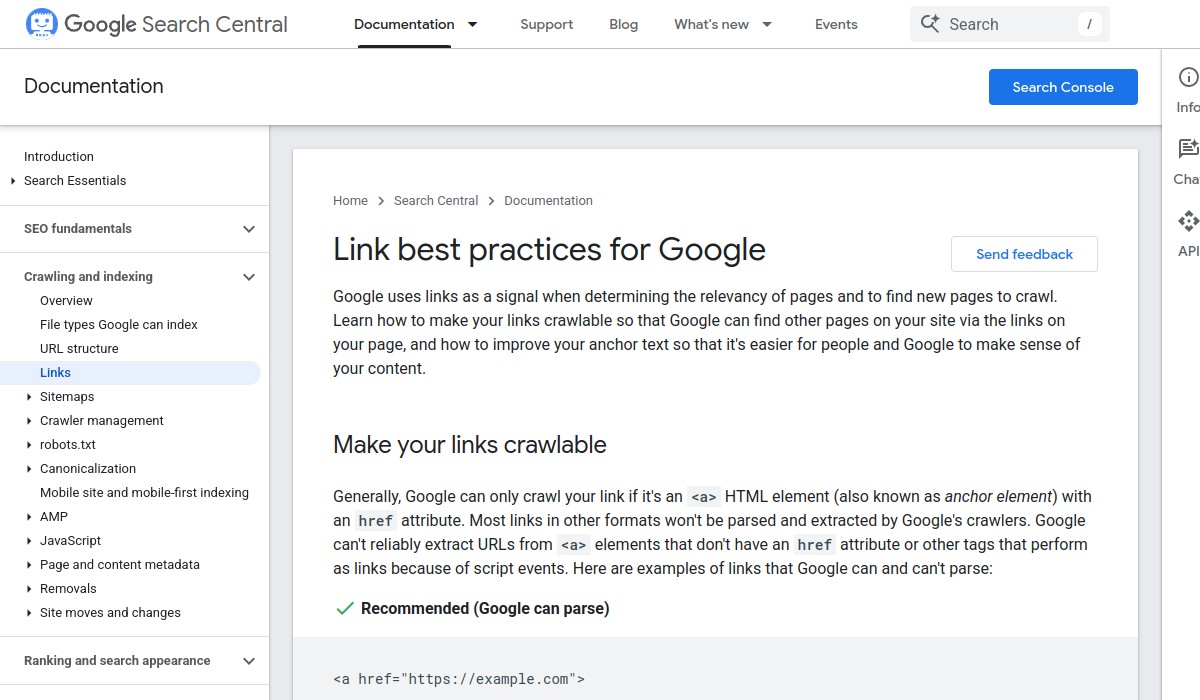
Google recommends evaluating third-party SEO advice against official guidance. This means you should check whether the tool's recommendations align with Google's published best practices. For instance, Google recommends crawlable anchor elements, descriptive and concise anchor text, and contextual internal links. If a tool suggests practices that contradict Google's guidance, that's a red flag. Link best practices for Google.
Step 3: Check for Red Flags
Be wary of tools that promise guaranteed rankings, instant results, or "set it and forget it" automation. Google explicitly warns that no tool can guarantee performance. Also, avoid tools that use black-hat techniques like buying links or keyword stuffing, as these can harm your site in the long run.
Another red flag is a lack of transparency about what the tool does. If you can't understand how the automation works or what data it uses, it's hard to trust the results. Look for tools that provide clear reports and explanations of their actions.
Step 4: Test with a Small Scope
Before committing to a long-term subscription, test the tool on a small scale. For example, if you're considering Vigilnode, you might start with a single website or a limited set of keywords to see how the automation performs. Monitor the results over a few weeks and compare them to your baseline metrics.
Keep in mind that SEO results take time. Don't expect immediate improvements in rankings or traffic. Instead, look for signs that the tool is saving you time and providing useful insights that you can act on.
Common Mistakes to Avoid When Using SEO Automation Software

Even the best automation software can lead to problems if used incorrectly. Here are some common mistakes to avoid:
- Ignoring Google's guidelines: Automation should follow Google's best practices, not try to game the system. Using black-hat techniques can result in penalties.
- Over-automating content creation: While AI can help generate content, it's important to review and edit it to ensure quality and accuracy. Google values helpful, reliable, people-first content.
- Neglecting local SEO specifics: If you're a local business, make sure your automation tool handles Google Business Profile optimization and local citations correctly. Google says local results are mainly based on relevance, distance, and prominence, so your tool should help you improve those factors.
- Not verifying results: Don't assume the tool is working just because it's running. Regularly check your rankings, traffic, and other metrics to see if the automation is actually helping.
How to Verify That Your SEO Automation Is Working
To ensure your SEO automation software is delivering value, you need to track the right metrics and review them regularly. Here's how to verify completion of your automation goals:
- Check your rankings: Use a rank tracking tool to monitor your positions for target keywords. Look for gradual improvements over time, not sudden jumps.
- Monitor organic traffic: Use Google Analytics or similar tools to see if your organic traffic is increasing. Pay attention to the quality of traffic, not just the quantity.
- Review your Google Business Profile insights: If you're using local SEO automation, check your profile's views, clicks, and calls to see if they're improving.
- Evaluate content performance: If the tool creates content, check how it's performing in search results. Are the pages getting indexed? Are they ranking for relevant queries?
- Assess time savings: One of the main benefits of automation is saving time. Track how many hours you're saving on manual SEO tasks and whether that time is being used effectively elsewhere.
If you're not seeing the expected results after a reasonable period (typically several months), it may be time to reevaluate your tool or your strategy.
Next Steps: What to Do After Choosing SEO Automation Software
Once you've selected an SEO automation tool, the next step is to integrate it into your workflow and start using it effectively. Here's a checklist to help you get started:
- ☐ Connect your website and Google Business Profile to the tool.
- ☐ Set up your target keywords and locations.
- ☐ Configure any content generation settings, such as tone and topics.
- ☐ Review the tool's initial recommendations and prioritize the most impactful fixes.
- ☐ Schedule regular reports to track progress.
- ☐ Set aside time each week to review the tool's output and make adjustments as needed.
Remember, SEO automation is a tool to help you work more efficiently, not a replacement for strategy and human oversight. By combining the right software with your own expertise, you can improve your search visibility and attract more qualified customers.
If you're considering Vigilnode for your local business, you can learn more about how it automates SEO workflows on the Vigilnode website. You may also find our guide on automated SEO software options helpful for comparison.