
Updated:
Choosing an SEO software platform is not about finding the tool with the most features or the boldest claims. It is about matching a platform's actual capabilities to the outcomes you need: better visibility in search results, more qualified traffic, and a workflow your team can sustain. This article gives you a practical, ordered process to prepare, compare options, and verify the result before you buy.
Article checklist:
- What a Good Choice Must Accomplish
- Step 1: Define Your Search Goals and Scope
- Step 2: Verify What the Platform Actually Does
- Step 3: Test with a Small, Real Project
- Step 4: Check for Red Flags
- Step 5: Compare Costs and Fit
- Common Mistakes to Avoid
- Next Step: Create Your Evaluation Checklist
What a Good Choice Must Accomplish

Start with the outcome, not the tool. A good SEO software platform should help you accomplish three things:
- Find the right opportunities. It should show you which keywords, pages, or local listings are worth improving, based on your business goals and the search platforms you care about.
- Execute the work. It should either automate the repetitive parts of SEO or give you clear, prioritized tasks that you can act on.
- Prove the result. It should report changes in visibility, traffic, or inquiries in a way you can verify, not just a dashboard that always looks green.
Google's own guidance is clear: no tool can guarantee rankings or performance. Evaluate any platform against official documentation, and treat promises of guaranteed results as a red flag. For example, Google recommends evaluating third-party SEO advice against official guidance and warns that tools cannot guarantee performance (Google Search guidance on third-party SEO tools and advice).
Step 1: Define Your Search Goals and Scope
Before you look at any software, write down what you need it to do. Are you optimizing a local business for Google Maps and local search? Do you need to track rankings for a national e-commerce site? Are you trying to appear in AI-driven search results like ChatGPT or Google's AI Mode? Each goal requires different capabilities.
For example, if your priority is local visibility, you need a platform that can help with Google Business Profile optimization, local citation management, and review monitoring. If you care about AI search visibility, you need a tool that understands generative engine optimization (GEO) and can help you create content that AI assistants are likely to cite. Be specific: list the search platforms, the types of pages or listings, and the metrics that matter to your business.
Once you have your list, rank the items by importance. This will help you avoid paying for features you don't need and focus your evaluation on the capabilities that will actually move the needle.
Step 2: Verify What the Platform Actually Does
Marketing pages often use vague language like "AI-powered" or "all-in-one." Your job is to find out exactly what the software does, how it does it, and whether it follows Google's published guidance. Ask for a demo or a trial, and test the platform with your own data.
Here are the key areas to verify:
Keyword Research and Opportunity Discovery
Does the platform help you find keywords you can realistically rank for? Does it show search volume, competition, and intent? Can it identify local keywords or questions people ask AI assistants? A good tool should give you actionable suggestions, not just a list of keywords.
On-Page and Technical SEO
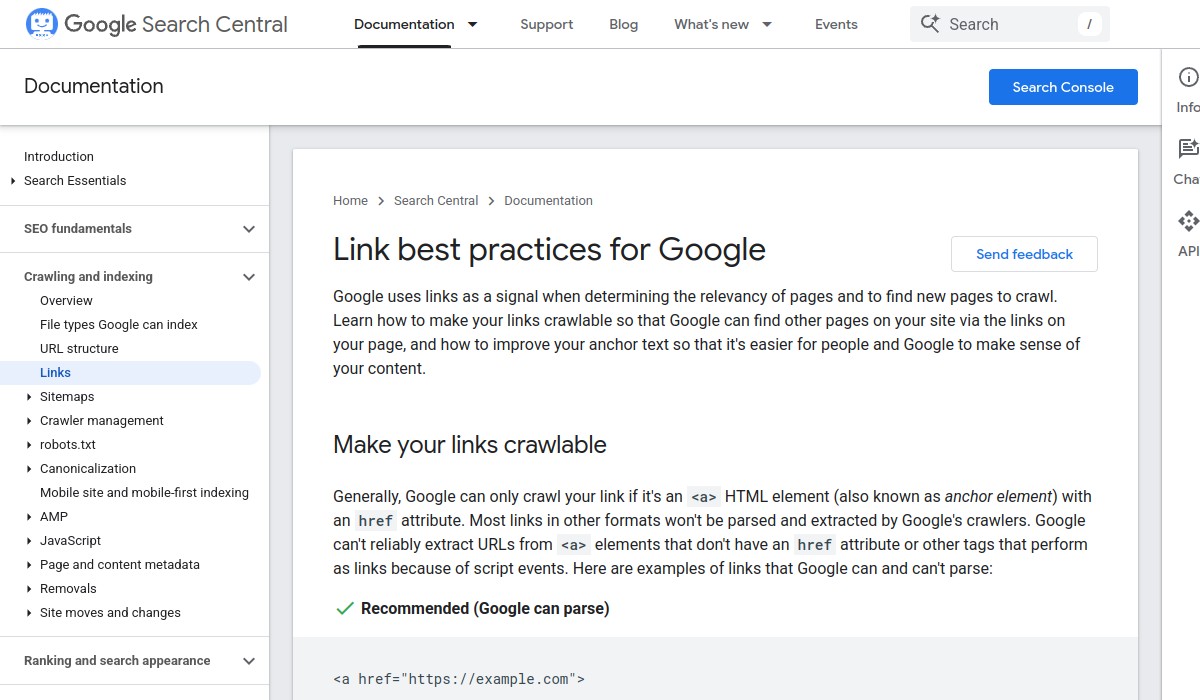
Does the platform audit your site for technical issues like broken links, missing meta tags, or slow pages? Does it provide specific recommendations you can implement? Check whether the recommendations align with Google's guidelines. For example, Google recommends crawlable anchor elements, descriptive and concise anchor text, and contextual internal links (Link best practices for Google).
Content and AI Visibility
If you care about AI search, does the platform help you create content that is likely to be cited by AI assistants? Does it track your visibility in ChatGPT, Gemini, or Perplexity? Be cautious: Google's guidance says there is no special optimization for AI features; standard SEO practices apply. A platform that promises to "optimize for AI" should be able to explain what that means in concrete terms.
Reporting and Verification
How does the platform report results? Can you verify the data independently? For example, if it claims your page is indexed, can you check in Google Search Console? If it claims your business appears in AI answers, can you see the actual answer and citation? A trustworthy platform will make its data transparent and verifiable.
Step 3: Test with a Small, Real Project
Don't commit to a long-term contract based on a demo. Instead, run a small pilot project. Pick one page, one keyword cluster, or one local listing, and use the platform to improve it. Track the results over a few weeks. This will show you:
- How easy the platform is to use.
- Whether its recommendations are practical and effective.
- Whether its reporting matches reality.
During the pilot, pay attention to the quality of support. Does the vendor answer your questions clearly? Do they provide documentation or training? A platform that is hard to use or poorly supported will cost you time in the long run.
Step 4: Check for Red Flags

Some SEO software platforms make promises that no tool can keep. Watch out for these red flags:
- Guaranteed rankings. Google explicitly says no one can guarantee a #1 ranking. If a platform promises specific rankings, walk away.
- Secret methods. If the vendor won't explain how their tool works or claims to have a "proprietary algorithm" that Google loves, be skeptical. Google's guidelines are public, and any legitimate tool should be able to explain how it aligns with them.
- Overemphasis on automation. Automation can save time, but it can also produce low-quality work. If a platform promises to "fully automate" your SEO, ask what quality controls are in place.
- Vague AI claims. Many tools now claim to use AI. Ask what the AI actually does. Does it generate content? Analyze data? Make recommendations? And how does it ensure quality and accuracy?
Step 5: Compare Costs and Fit
Once you've narrowed down your options, compare costs. But don't just look at the monthly price. Consider:
- Setup time. How long will it take to get the platform configured for your business?
- Training. Will your team need training? Is it included?
- Scalability. Will the platform grow with your business, or will you need to switch later?
- Contract terms. Is there a long-term commitment? What happens if you cancel?
Also consider the fit with your existing workflow. If the platform doesn't integrate with your CMS, analytics, or other tools, you may end up doing a lot of manual work.
Common Mistakes to Avoid
Many teams make the same mistakes when evaluating SEO software. Here are the most common ones and how to avoid them:
Mistake 1: Buying Features Instead of Outcomes
It's easy to be impressed by a long feature list. But features don't matter if they don't help you achieve your goals. Always tie features back to the outcomes you defined in Step 1.
Mistake 2: Trusting the Dashboard
Some platforms have dashboards that always look good, even when your actual search performance is flat. Verify the data independently. Use Google Search Console, Google Analytics, and your own eyes to check rankings and traffic.
Mistake 3: Ignoring Google's Guidance
Google publishes clear guidelines for SEO. If a platform's recommendations conflict with those guidelines, it's a red flag. For example, Google recommends helping it discover images and optimizing the pages on which those images appear (Google image SEO best practices). A platform that tells you to ignore image optimization is not following best practices.
Mistake 4: Expecting Instant Results
SEO takes time. A platform that promises quick wins is likely using tactics that could get you penalized. Be patient and focus on sustainable improvements.
Next Step: Create Your Evaluation Checklist
Now that you know the process, create a checklist for your evaluation. Here's a simple template:
- ☐ Define your search goals and scope.
- ☐ List the capabilities you need, ranked by importance.
- ☐ Request demos or trials from shortlisted platforms.
- ☐ Test each platform with a small, real project.
- ☐ Verify the platform's claims against Google's guidelines.
- ☐ Check for red flags like guaranteed rankings or secret methods.
- ☐ Compare costs, setup time, training, and scalability.
- ☐ Make a decision based on fit, not just features.
If you're evaluating platforms for a local business, you may also want to read our guide on AI local SEO software or our article on what auto SEO software actually does. These resources go deeper into specific categories and can help you ask the right questions.