
Updated:
Choosing AI-powered local SEO software often goes wrong in the same seven ways. Teams buy a tool that automates the wrong tasks, trust a dashboard that hides weak data, or expect a guarantee that Google says no tool can provide. The result is wasted budget, a false sense of progress, and a local presence that still doesn't show up when nearby customers search. This article names each mistake, explains why it matters, and gives you a concrete correction you can verify before you commit.
Article checklist:
- Mistake 1: Buying automation without a defined local outcome
- Mistake 2: Trusting a dashboard that hides weak data
- Mistake 3: Expecting a guarantee that Google says no tool can provide
- Mistake 4: Ignoring AI search visibility
- Mistake 5: Overlooking the need for accurate, complete business information
- Mistake 6: Choosing a tool that doesn't fit your team's workflow
- Mistake 7: Paying for features you'll never use
- Final verification checklist
Mistake 1: Buying automation without a defined local outcome

Many tools promise to "automate your local SEO," but automation only helps if it moves the metric you actually need: more qualified calls, direction requests, or booked appointments. If you can't name the outcome, you'll end up with a tool that generates reports instead of customers.
Why it matters: Google's local results are based on relevance, distance, and prominence. A tool that automates irrelevant tasks won't improve any of those three. You'll pay for activity, not progress.
The correction: Write down one primary outcome before you demo any software. For example: "Increase direction requests from Google Maps by 20% in six months." Then ask the vendor which specific features drive that outcome and how you'll measure it.
How to verify: During the trial, connect your Google Business Profile and check whether the tool's reports show the metric you chose. If it only shows rankings or impressions, it's not aligned with your goal.
Mistake 2: Trusting a dashboard that hides weak data
Dashboards look impressive, but they can hide the fact that your business isn't appearing for the searches that matter. A tool might show a green "visibility score" while your profile is missing from the map pack for your top service.
Why it matters: Google says complete and accurate Business Profile information can make a profile more likely to appear for relevant local searches. If the tool doesn't show you which fields are incomplete or inaccurate, you can't fix the problem.
The correction: Demand a tool that shows raw data, not just scores. You need to see your profile's completeness, the exact search terms where you appear, and your position for each term.
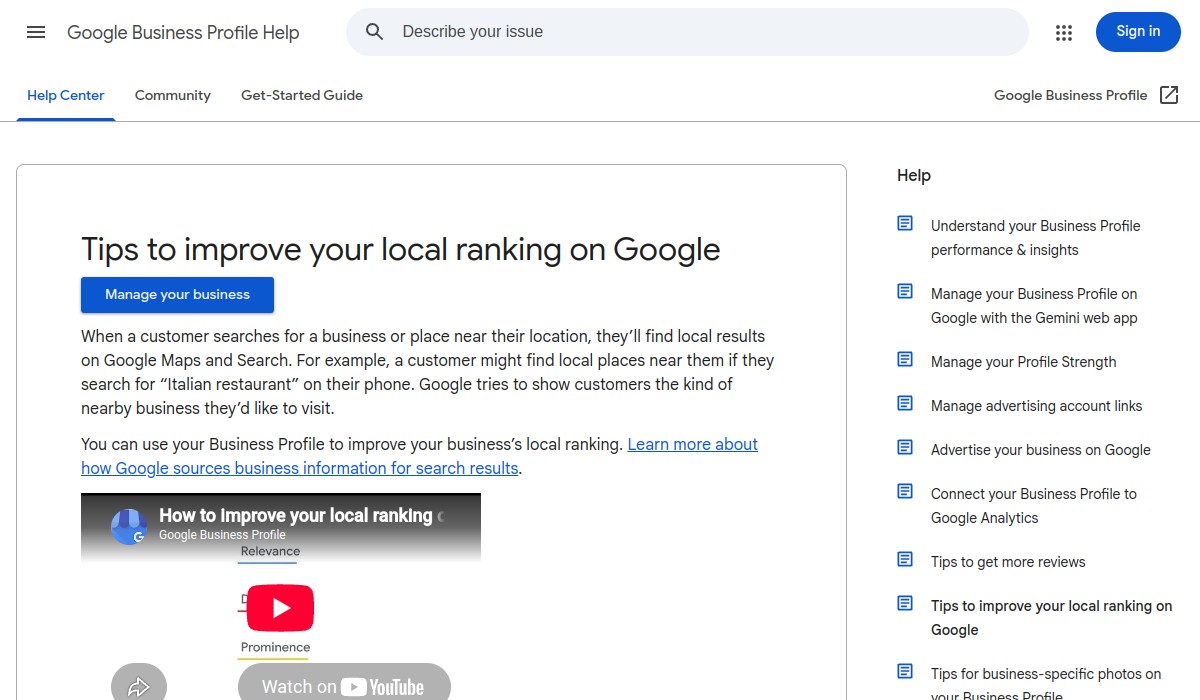
How to verify: Ask the vendor to show a sample report for a business like yours. Look for a list of missing or incorrect profile fields, not just a percentage score. Then check your own profile manually against Google's guidance on improving your local ranking.
Mistake 3: Expecting a guarantee that Google says no tool can provide
Some vendors promise "top 3 rankings" or "guaranteed first page." Google's own documentation warns that no tool can guarantee performance. If a vendor makes that promise, they're either misleading you or using tactics that could get your profile penalized.
Why it matters: Google's guidance on third-party SEO tools is clear: evaluate advice against official guidance, and be skeptical of guarantees. A tool that promises rankings is selling you a false sense of security.
The correction: Choose a tool that focuses on the factors you can control: accurate business information, helpful content, and a good user experience. Those are the practices Google recommends.
How to verify: Read the vendor's terms and conditions. If they guarantee rankings, ask them to show you the exact clause and how they'll compensate you if they fail. Most will back down.
Mistake 4: Ignoring AI search visibility
Customers increasingly ask ChatGPT, Gemini, or Perplexity for local business recommendations. If your software only optimizes for Google Maps, you're missing a growing channel. But be careful: Google's AI features don't work the same way as local rankings.
Why it matters: Google says helpful, reliable, people-first content and standard technical SEO apply to both regular Google Search and Google's AI features. There is no special optimization for AI Overviews or AI Mode. A tool that claims to "optimize for AI" without focusing on content quality is misleading you.
The correction: Look for software that helps you create and publish helpful content that answers customer questions. That content should follow standard SEO best practices, including crawlable links and descriptive anchor text, as Google recommends in its link best practices.
How to verify: Ask the vendor how their tool helps with AI search. If they mention "AI optimization" without talking about content quality and technical SEO, be skeptical. Check whether their content features follow Google's guidance on image SEO and other basics.
Mistake 5: Overlooking the need for accurate, complete business information

Your Google Business Profile is the foundation of local visibility. If your software doesn't help you keep it accurate and complete, you're building on sand. Many tools focus on rankings and reviews but neglect the basics.
Why it matters: Google states that complete and accurate Business Profile information can make a profile more likely to appear for relevant local searches. Inaccurate information confuses customers and hurts your relevance.
The correction: Choose a tool that audits your profile for missing or incorrect fields, helps you update them, and monitors for changes. It should also help you add photos and videos that show what you offer, as Google recommends.
How to verify: Run the tool's audit on your profile and compare it to Google's own checklist. If the tool misses obvious errors, it's not thorough enough.
Mistake 6: Choosing a tool that doesn't fit your team's workflow
Even the best software fails if your team won't use it. If the interface is confusing, the reports are hard to share, or the tasks don't fit your daily routine, adoption will drop and you'll waste your investment.
Why it matters: Local SEO requires consistent effort. A tool that creates friction will be abandoned, and your visibility will stagnate.
The correction: Involve the people who will use the tool in the evaluation. Test the workflow during the trial: can you assign tasks, track progress, and see results without extra steps?
How to verify: Ask for a trial and have your team use it for a week. If they complain about the interface or can't find key features, it's not the right fit.
Mistake 7: Paying for features you'll never use
AI-powered local SEO software often comes with a long list of features, from social media scheduling to review management. But if you only need help with your Google Business Profile and local content, paying for extras is wasteful.
Why it matters: Budget is limited. Every dollar spent on unused features is a dollar not spent on the activities that actually drive customers.
The correction: Make a list of the three to five features you absolutely need, based on your defined outcome. Then compare pricing tiers and choose the one that covers those features without excess.
How to verify: During the trial, track which features you actually use. If you're not using half of them, downgrade or switch tools.
Final verification checklist
Before you commit to any AI-powered local SEO software, run through this checklist:
- ☐ I have defined one primary local outcome (e.g., more calls, direction requests, or bookings).
- ☐ The tool's reports show raw data for that outcome, not just scores.
- ☐ The vendor does not guarantee rankings or performance.
- ☐ The tool helps me create and publish helpful, people-first content.
- ☐ The tool audits my Google Business Profile for completeness and accuracy.
- ☐ My team has tested the tool and finds it easy to use.
- ☐ I am not paying for features I will never use.
If you can check every box, you're ready to make an informed decision. For a deeper dive into what AI-powered local SEO software should actually do, see our practical buyer's guide.
Frequently Asked Questions
What is the most common mistake when choosing AI-powered local SEO software?
The most common mistake is buying automation without a defined local outcome. Teams get excited by features and forget to tie the tool to a specific business goal, like more calls or direction requests. Without that anchor, you can't measure whether the software is actually helping.
Can any AI local SEO tool guarantee top rankings?
No. Google's own guidance on third-party SEO tools warns that no tool can guarantee performance. Be skeptical of any vendor that promises specific rankings or first-page placement.
How do I know if a tool will actually help with AI search visibility?
Look for a tool that focuses on helping you create helpful, reliable, people-first content and follow standard technical SEO practices. Google says those practices apply to both regular Search and AI features. Avoid tools that claim special "AI optimization" without grounding in content quality.
What should I check in a trial before committing?
During a trial, verify that the tool shows raw data for your defined outcome, audits your Google Business Profile for completeness, fits your team's workflow, and doesn't include features you'll never use. Use the final checklist above to confirm each point.