
Updated:
Choosing agency SEO software is not about finding the tool with the most features or the boldest claims. It is about matching a tool's actual capabilities to the outcomes you need: reliable client reporting, scalable workflows, and work you can defend. This article separates what a good choice must accomplish from what you should verify before paying. It also flags the promises that Google itself says no tool can guarantee.
What Agency SEO Software Must Actually Do

Before comparing features, define the outcome you need. A good agency SEO tool should help you manage multiple clients from one account, automate repetitive tasks, and produce reports that clients understand. It should also support the core SEO work: keyword research, rank tracking, site audits, and backlink analysis.
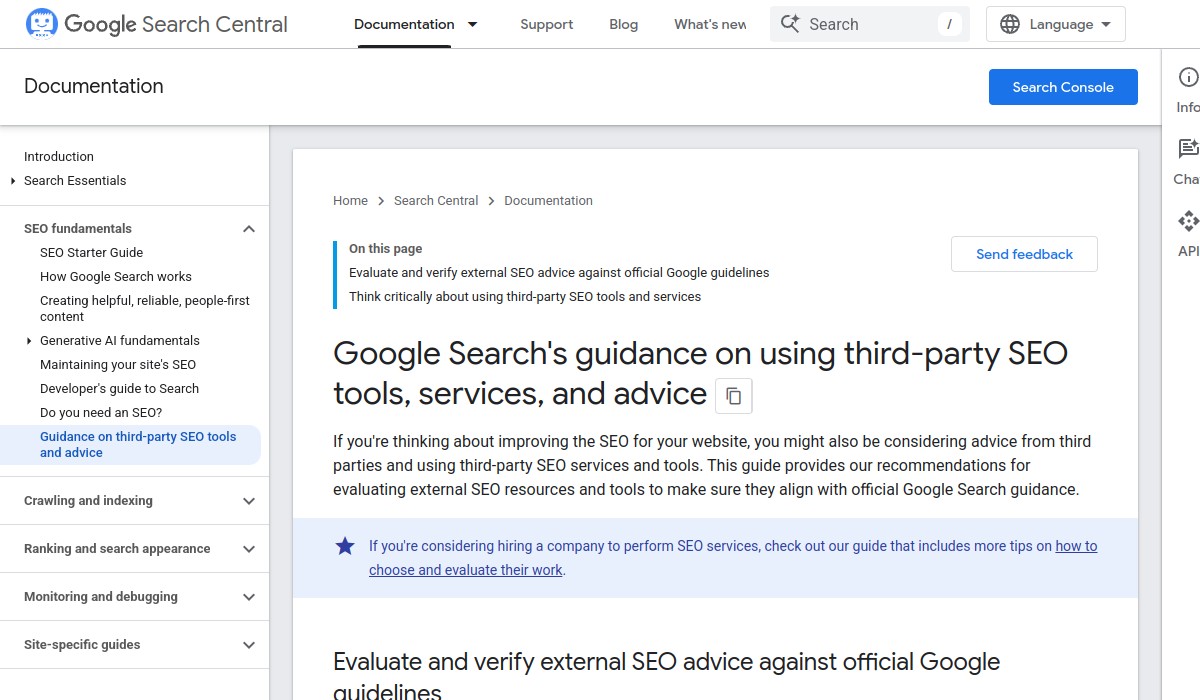
Google's guidance on third-party SEO tools is clear: no tool can guarantee rankings or performance. Google recommends evaluating third-party SEO advice against official guidance. That means the tool should help you follow Google's documented best practices, not promise shortcuts.
What Should You Look for in Agency SEO Software?
When you compare options, focus on these criteria:
- Multi-client management: Can you switch between client projects without losing context? Does the tool support separate reporting and permissions?
- White-label reporting: Can you brand reports with your agency's logo and colors? Clients should see your work, not the tool's branding.
- Automation: Does the tool schedule rank tracking, site audits, and report delivery? Automation saves time but should not replace human judgment.
- Data accuracy: Are the metrics reliable? Check how the tool collects data and whether it aligns with Google Search Console and Analytics.
- Collaboration: Can team members leave comments, assign tasks, and share insights within the tool?
These criteria are practical, not exhaustive. The right tool depends on your agency's size, client mix, and workflow.
Why Multi-Client Management Matters
If your agency handles more than a handful of clients, switching between separate logins or spreadsheets becomes a bottleneck. Look for software that lets you organize clients into projects, assign team members, and control access. This keeps client data separate and reduces the risk of reporting errors.
White-Label Reporting: Your Brand, Not the Tool's
Clients hire your agency for expertise, not for a software logo. White-label reporting lets you replace the tool's branding with your own, so every report reinforces your agency's value. Check whether the tool allows custom domains, logos, and color schemes, and whether you can schedule automated report delivery.
Automation That Saves Time Without Cutting Corners
Automation should handle repetitive tasks like weekly rank tracking, monthly site audits, and report distribution. But it should not replace strategic decisions. A good tool lets you set up automated workflows while still allowing manual overrides and human review.
What Are the Red Flags to Avoid?

Some tools make promises that Google says no tool can guarantee. Watch for these red flags:
- Guaranteed rankings: No tool can promise a specific position in search results. Google's algorithms change, and rankings depend on many factors.
- Secret algorithms: If a tool claims to know Google's ranking factors exactly, be skeptical. Google publishes guidance, but the full algorithm is not public.
- Overemphasis on automation: Automation can help with repetitive tasks, but SEO still requires human strategy and content quality.
- Vague dashboards: If the tool's reports are hard to understand or don't tie to actions, it won't help your clients.
Google's link best practices also matter here. Google recommends crawlable anchor elements, descriptive and concise anchor text, and contextual internal links. A good tool should help you implement these practices, not encourage spammy link building.
Beware of Tools That Promise Quick Wins
Some vendors market their software as a shortcut to page-one rankings. Google's guidance is explicit: no tool can guarantee performance. If a sales pitch sounds too good to be true, ask for evidence and compare it against Google's official documentation.
Check the Tool's Link Building Philosophy
Google's link best practices emphasize quality over quantity. A tool that encourages buying links, excessive link exchanges, or automated link schemes is not aligned with Google's guidance. Instead, look for features that help you earn links through useful content and outreach.
How Do You Make a Confident Decision?
Start with a shortlist of tools that meet your core needs. Then test them with a real client project. Pay attention to how the tool handles data, reporting, and collaboration. Ask these questions:
- Does the tool integrate with Google Search Console and Analytics?
- Can you export reports in a format your clients prefer?
- Is the pricing transparent and scalable as you add clients?
- What support and training does the vendor provide?
For a deeper dive into the decision process, see our SEO software for agencies decision guide. It includes a checklist and more detailed evaluation criteria.
Test With a Real Client Project
A free trial or demo is useful, but nothing beats testing with actual client data. Import a client's Google Search Console and Analytics, run a site audit, and generate a report. This will reveal how the tool handles real-world data and whether the reports are clear enough for your clients.
Involve Your Team in the Evaluation
Your team will use the software daily, so their input matters. Have them test the collaboration features, leave comments, and assign tasks. If the tool slows down your workflow or creates friction, it's not the right fit.
Frequently Asked Questions
What is the best SEO software for agencies?
There is no single best tool for every agency. The right choice depends on your client mix, team size, and workflow. Focus on tools that support multi-client management, white-label reporting, and reliable data integration with Google Search Console and Analytics.
Is SEO still worth it in 2026?
Yes, SEO remains a valuable channel for driving organic traffic and leads. However, the landscape has evolved, and agencies need tools that help them follow Google's current guidance and adapt to changes in search behavior.
Can ChatGPT do SEO?
ChatGPT and other AI tools can assist with certain SEO tasks, such as generating content ideas or drafting meta descriptions. But they cannot replace the strategic judgment, client communication, and technical expertise that an agency provides. Use AI as a supplement, not a substitute.
Your Next Step
Don't rush into a purchase. Define your must-have features, test two or three tools with real data, and involve your team in the evaluation. The right agency SEO software will save time and improve client results, but only if it fits your workflow and follows Google's guidance.
If you're also considering AI-powered tools, read our AI-powered local SEO software buyer's guide to understand what AI can and cannot do for local search.